One click. Details and 15 photos.
Follow the 2020 Ram from DealerCenter to the Marketplace review form. The timer includes the recorded review pauses. Actual time varies with connection, inventory and Facebook.
Stop rebuilding the same vehicle listing. Bring your details and photos from DealerCenter into Facebook Marketplace, ready for your review.
One Chrome profile. One click to prepare. You publish.
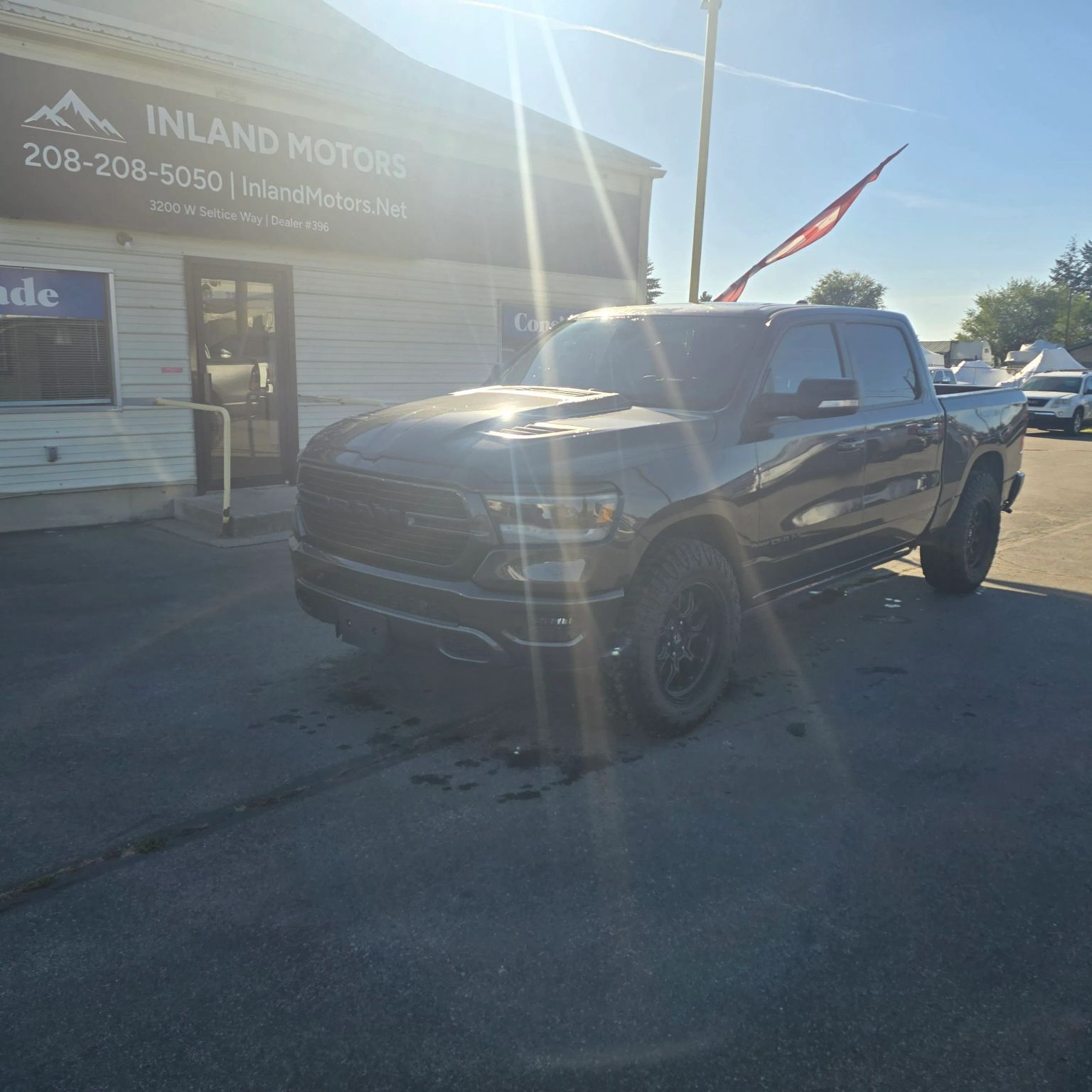 EXAMPLE VEHICLE 15 photos
Illustrative preview using the vehicle from our first live test.
LESS REPETITION. MORE TIME FOR YOUR LOT.
You already entered the vehicle in DealerCenter. EZ-DC-FB puts that work to use.
Start on a DealerCenter vehicle detail page. Keep Facebook signed in within the same Chrome profile.
The extension gathers supported details and gallery photos, then checks active listings in your signed-in Marketplace account. Possible matches and incomplete checks pause for your review before another draft.
Check the fields, title status, photo order and price. You decide when the listing goes live.
RECORDED AT INLAND MOTORS
Real browser recordings with an elapsed timer from the EZ click. No automatic publishing. These clips show an earlier beta build; the new orange reminders are not shown.
Follow the 2020 Ram from DealerCenter to the Marketplace review form. The timer includes the recorded review pauses. Actual time varies with connection, inventory and Facebook.
The Silverado demo ends at the warning. Possible matches and incomplete scans require acknowledgment before preparing another draft. This check can miss duplicates.
MORE THAN AUTOFILL
Scans active listing titles and prices in the signed-in account, plus local vehicle history. Possible matches or incomplete checks pause for review. No guarantee against duplicates or account restrictions.
When you capture a vehicle again, an orange Facebook panel flags a changed Advertising Price or DealerCenter sold status against saved history. Open a saved listing link when available. No background monitoring or automatic listing changes.
Save a listing link, publication date and confirmed price. Mark records published, sold or deleted after checking yourself. History stays in that Chrome profile; preparing a draft does not prove it was published.
Save a description template and choose whether to include VIN. VIN stays excluded by default. Right-click the green EZ button and choose Options; the normal click goes straight to Facebook.
Private beta features. Shared team tracking is still a preview and is not included in these demonstrations. Walkaround video remains manual.
TAKE A LOOK UNDER THE HOOD
An interactive illustration of the process.
Your actual listing stays in your own browser.
DEMONSTRATION ONLY
This illustration does not access your accounts or create a listing.
The details already on your vehicle page become the starting point for your listing.
Advertising Price is the only price source. No payment or cost fields.
THE DETAILS MATTER
Uses DealerCenter Advertising Price only. If it is missing or zero, the Facebook price stays blank for your review.
Brings over up to 20 full-size photos in the source gallery sequence. Check the finished gallery before publishing.
Year, make, model, trim, mileage, description, fuel, transmission, colors and more. VIN is excluded by default, with an optional inclusion toggle in settings.
Review and publish yourself. A clean-title default is optional and off for new installations. Video is added manually.
Live tests have transferred vehicle details and full-size photos into Marketplace, including the Ram shown below. Private beta testing is underway; broader dealership testing comes next.
BEFORE YOU ASK
It opens Marketplace in the same Chrome profile where you use DealerCenter. You sign in to your own Facebook account, review the prepared form, and publish manually.
The extension uses your existing browser sessions. You don’t give EZ-DC-FB your Facebook or DealerCenter password.
Supported details include year, make, model, trim, mileage, description, Advertising Price, body style, colors, condition, fuel and transmission, plus gallery photos. Missing or unmatched fields may need manual entry. VIN is excluded by default; you can opt in from extension settings.
The internal beta checks active listing titles, year, make, model family, price and status in the signed-in account, plus local vehicle history. Possible matches or incomplete checks require acknowledgment before another draft. Mileage, descriptions and photo identity are not compared. Other accounts are outside this check. It can miss duplicates and does not guarantee continued Marketplace access. Warning acknowledgments stay locally in the Chrome profile and do not prove publication.
Video is manual in the current beta. We’re investigating a reliable transfer path, but it is not a released feature.
Not yet. The licensed extension has been tested on live vehicles at Inland Motors. It still needs broader testing across dealerships and browser setups.
No. EZ-DC-FB is independent software and is not affiliated with or endorsed by DealerCenter, Facebook or Meta. Use remains subject to the applicable platforms’ terms; form filling does not establish platform approval.
Access is currently by private invitation. The planned founding offer is $9.99 per month with no download fee for the first 100 paying dealerships. There is no signup or checkout on this page yet.